Adding an image to your posts
Posted: Sun Apr 19, 2026 3:58 am
I created a short tutorial for adding an image to your post using https://postimages.org/
After you have uploaded your image to postimages you will be shown links to copy.
Select the link that reads; "Hotlink for Forums"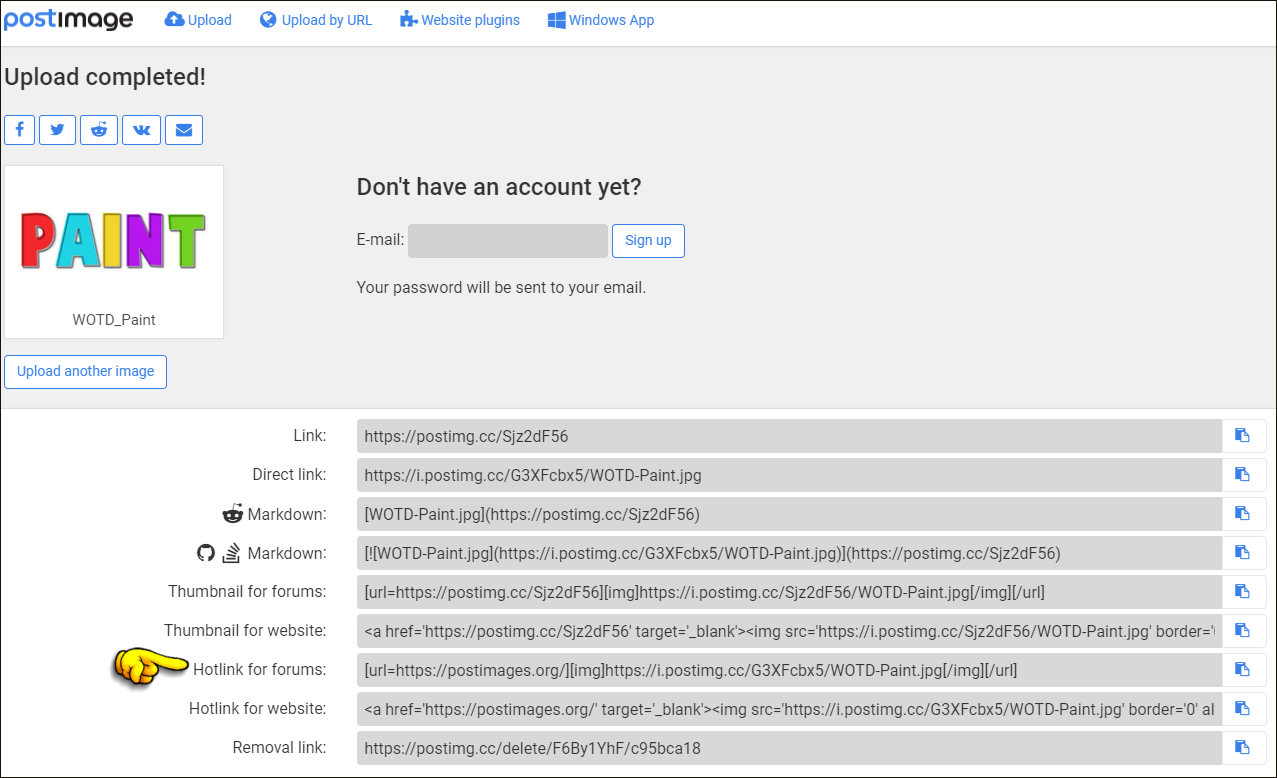 After you have copied that link come back here to the forum and paste it into your post where you want your image to be.
I would suggest that you have this forum open in one tab (or window) in your web browser and then open a new window for postimages.org
That way you can copy your text from one page to the other much easier.
And if you need more help on that just leave a reply to this post.
Select the link that reads; "Hotlink for Forums"
After you have copied that link come back here to the forum and paste it into your post where you want your image to be.I would suggest that you have this forum open in one tab (or window) in your web browser and then open a new window for postimages.org
That way you can copy your text from one page to the other much easier.
And if you need more help on that just leave a reply to this post.